Your data
Delete your
Motarix account.
This page explains how to delete your Motarix account, what is removed, and what we have to keep. Motarix Automotive operates the Motarix app.
The fastest way — in the app
- Open the Motarix app.
- Go to the Account tab.
- Tap Settings.
- Tap Delete account, then confirm.
The steps are the same on iPhone and Android.
If your app has not updated yet
On versions before 1.3.0 there is no Settings step: Delete account sits at the bottom of the Account tab. Tap it there and confirm.
It works whether or not you have signed in. There is no password to type and nothing to fill in — the app asks once, in a box headed “Delete account?”, and your account and the data linked to it are removed the moment you tap Delete. It cannot be undone. A few records outlast it, and they are listed below.
Deleting needs a working connection. If it fails, the app tells you so and your account is not deleted, though the notification token for this handset may already have gone — try again when you have signal. Afterwards the app keeps working: it starts you again with a fresh, empty account.
If you have already uninstalled the app
Email support@motarixautomotive.com with the subject “Delete my account”.
Tell us the email address you signed in with, if you signed in, and the phone number you used to contact us on WhatsApp, if you ever did, so we can find your records. We will confirm within 7 days.
What gets deleted
- Your app account and its identifier
- The email address on it, if you signed in
- Your name and phone number, if you gave us them
- Your notification token and device details
- Your device records and your usage log
- Your notification and stock-alert preferences
- Your back-in-stock alerts
- Your notification history
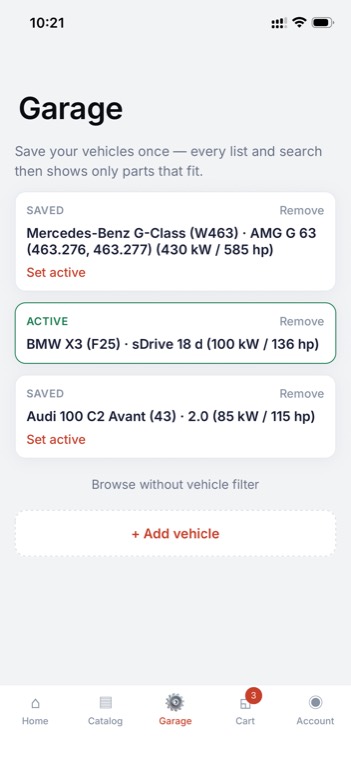
Your garage — the list of cars you have saved — is kept on your phone, and deleting the account clears it from the phone, along with your basket. One exception: a car we identified for you from a registration or chassis number is also saved on your account, so a new phone can see it; that copy is deleted with the account. Two other things about them do reach us. The usage log records each car you select and each part you add to your basket; that log is deleted with your account. And every parts request you send us on WhatsApp from the app records the car you had selected at the time; those request records survive deletion, as described below.
Your saved-for-later parts and the delivery address you typed are also held on the phone. Those two are left alone by deletion and stay there until you uninstall the app. If the phone number on it is a Tanzanian mobile, it is also saved to your account each time you change it, and goes when the account does. If you have paid for an order in the app, the address you used at the time is on that order, and we strip it as described below.
What we have to keep, and for how long
If you have started an order — whether or not you paid for it — Tanzanian tax and accounting law requires us to retain the order and invoice records for five years. We remove your phone number and delivery address from the order itself when you delete your account, and orders carry no name field. The payment record attached to a retained order is not scrubbed: if you paid by mobile money it still holds the number the request was sent to, and on either rail it holds what our payment provider sent back.
Two other records survive, no longer linked to you. Any parts request you sent us on WhatsApp from the app keeps the message as it was written, including a number plate or chassis number if you typed one, along with the basket and the vehicle it was about. And our customer register keeps a name and a phone number if you ever saved a phone number to your account, ordered, or messaged us. Email us at the address below if you want those removed as well.
If you have ever started a card payment in the app, whether or not it completed, Stripe, who takes the payment, keeps its own record of you as their customer, including the email address on it. That record sits with Stripe rather than with us and is not removed when you delete your Motarix account. Likewise, if you completed an order, the name and phone number sent to our accounting system, Zoho Books, as part of the invoice remain there.
Contact
Motarix Automotive
Samora, Mkwepu Street, Plot No. 27, Posta, Dar es Salaam
support@motarixautomotive.com
Get the app
The parts counter,
in your pocket.
Free on iPhone and Android. Browse the whole catalogue without signing up or giving us your name.